Free Banner Generator for Cubrin Vendors — Design & Download in 60 Seconds
If you run a shop in Nigeria, you already know the struggle: you have great food, beautiful products, real customers — but your marketing photos look like everyone else's. Copy-pasted templates. Bad lighting. Tiny logos. Stretched images.
We built something to fix that. And it's free.
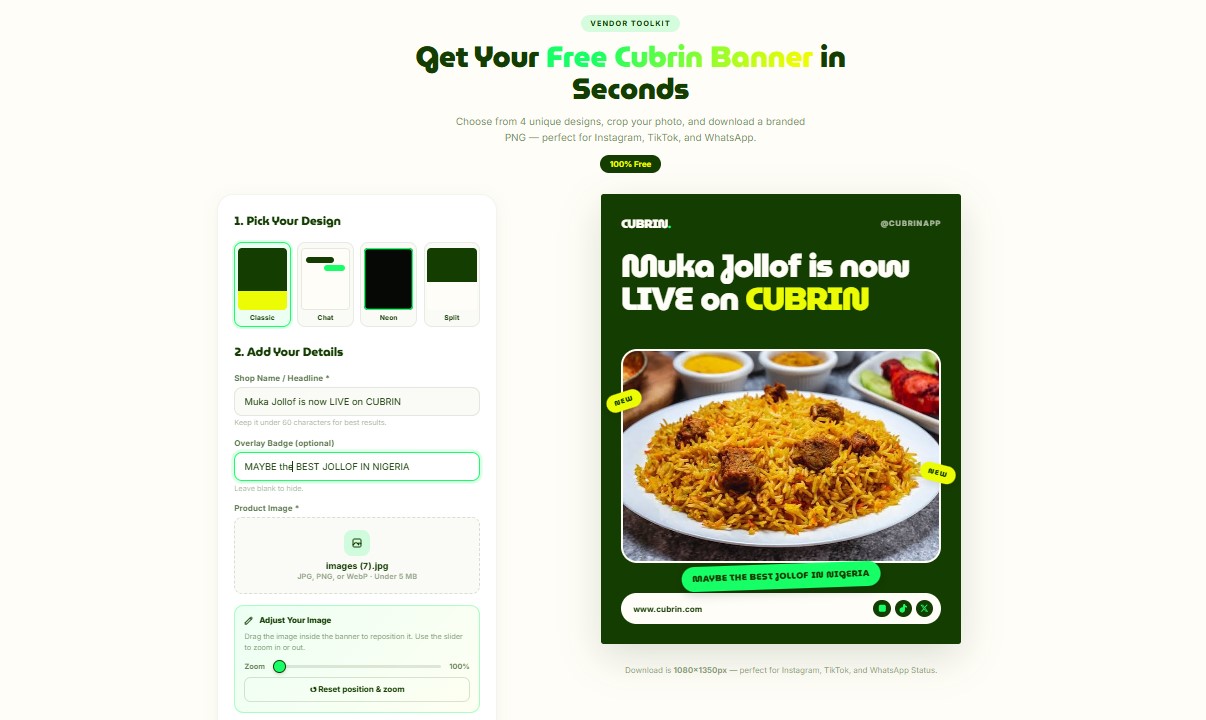
Starting today, every Cubrin vendor can generate a free branded promo banner in under 60 seconds. No designer. No Photoshop. No subscription. Just three steps and a PNG download.
Try the Free Banner Generator →
Why We Built This
When we onboarded our first wave of vendors, we noticed a pattern. Shop owners wanted to promote themselves on Instagram, TikTok, and WhatsApp Status — but they didn't have the tools.
The options were expensive or ugly:
- Hire a designer — ₦10,000–₦50,000 per banner, plus back-and-forth revisions
- Canva — decent, but every shop ends up using the same 3 templates
- DIY in WhatsApp — badly cropped screenshots with text scribbled on top
None of those felt like a real solution. So we built one that lives inside Cubrin — custom-designed, branded, and free.
What the Banner Generator Does
The tool is simple by design. Here's what you get:
1. Four unique Cubrin-designed templates
Every template was designed in-house to match Cubrin's brand — MuseoModerno headlines, neon-green accents, editorial layouts. You choose the vibe that fits your shop:
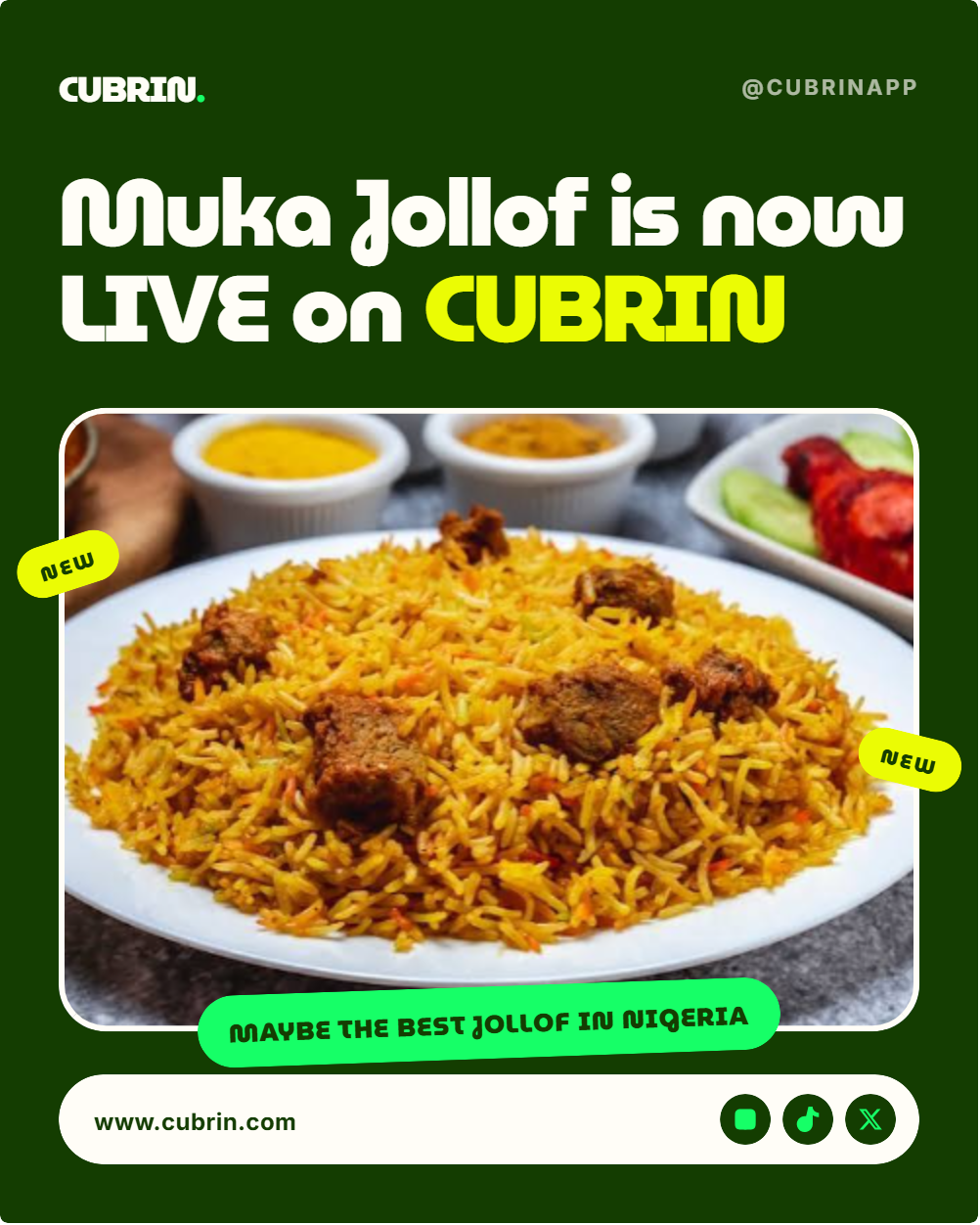
🎨 Classic — bold magazine style
Perfect for food spots, restaurants, and any shop that wants an editorial, magazine-cover feel.
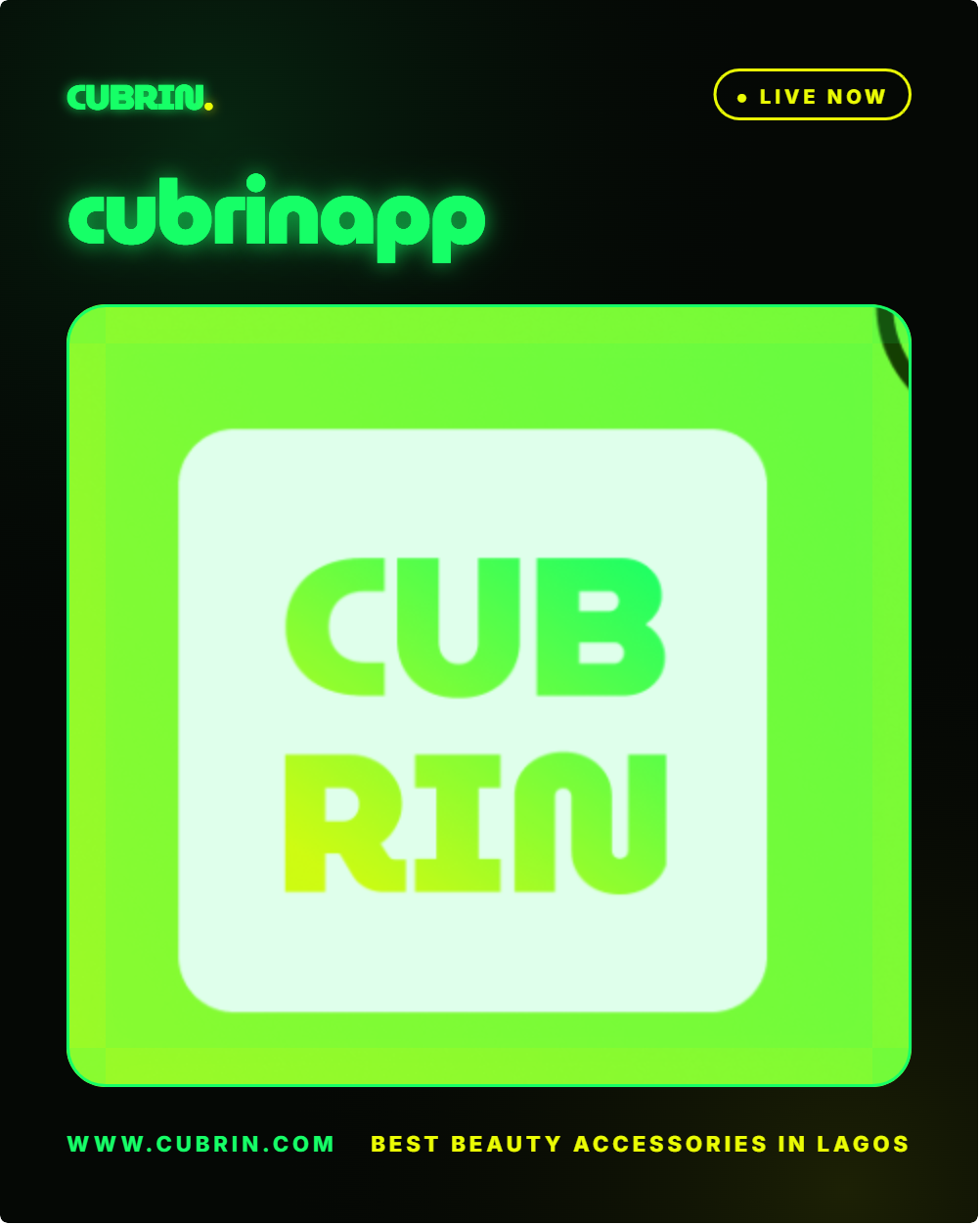
⚡ Neon — dark, glowing, futuristic
Built for gadget sellers, streetwear boutiques, and anyone with a bold brand aesthetic.
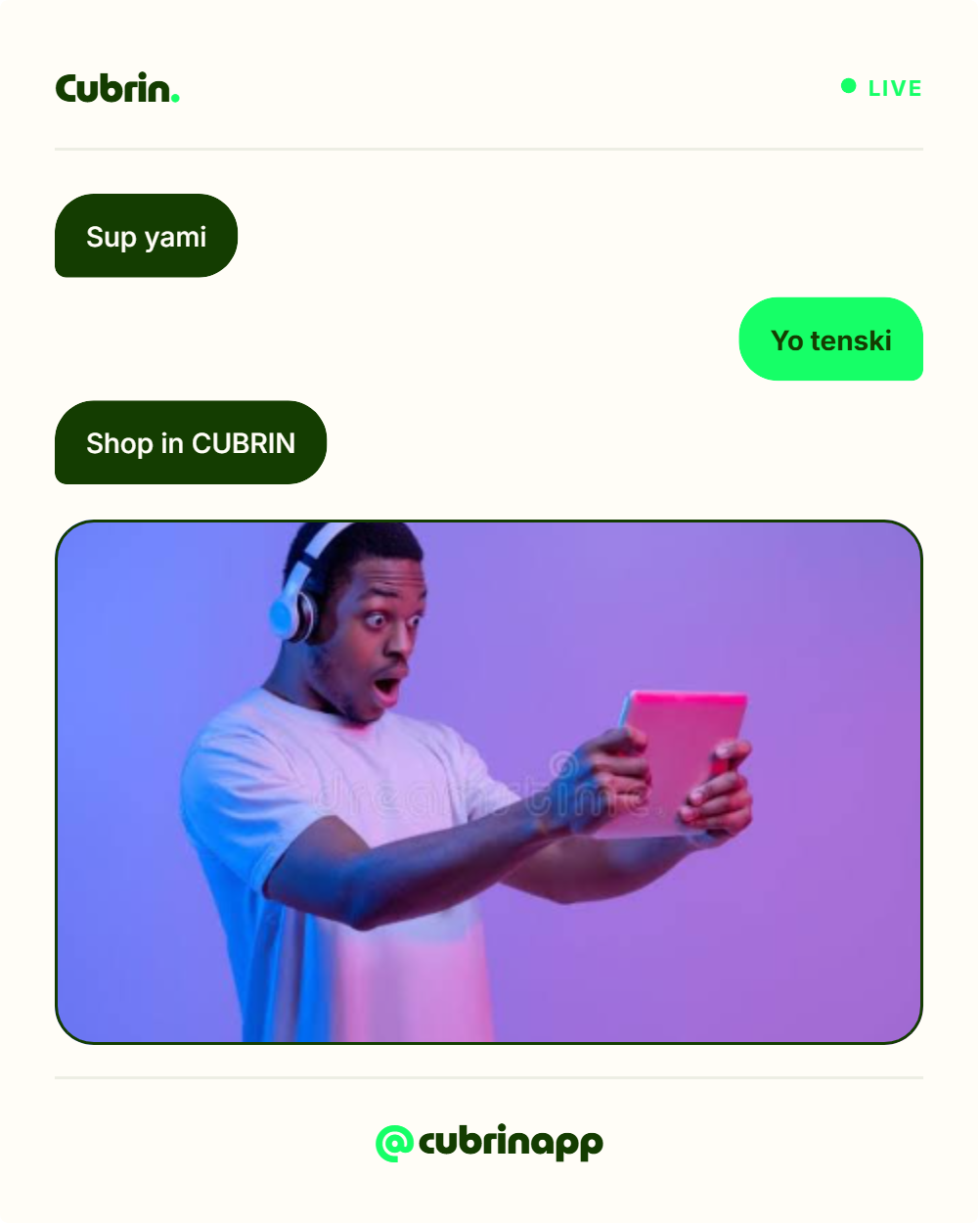
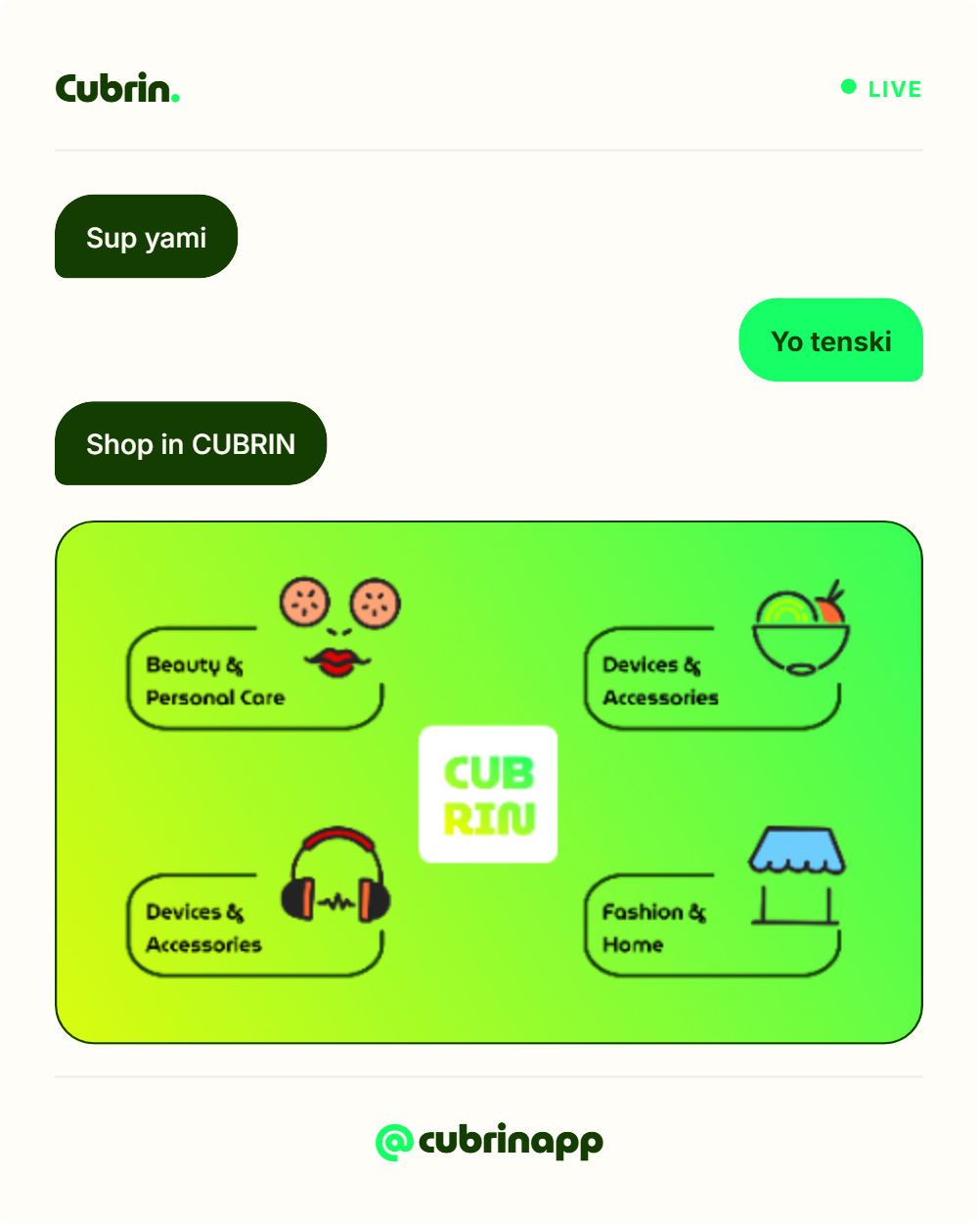
💬 Chat — conversational storytelling
A mini chat conversation between two friends — perfect for showing word-of-mouth buzz around your shop.
✨ Split — playful asymmetric layout
Our signature layout, inspired by Cubrin's Split Bill feature. Half image, half headline — with a custom divider icon in the middle.
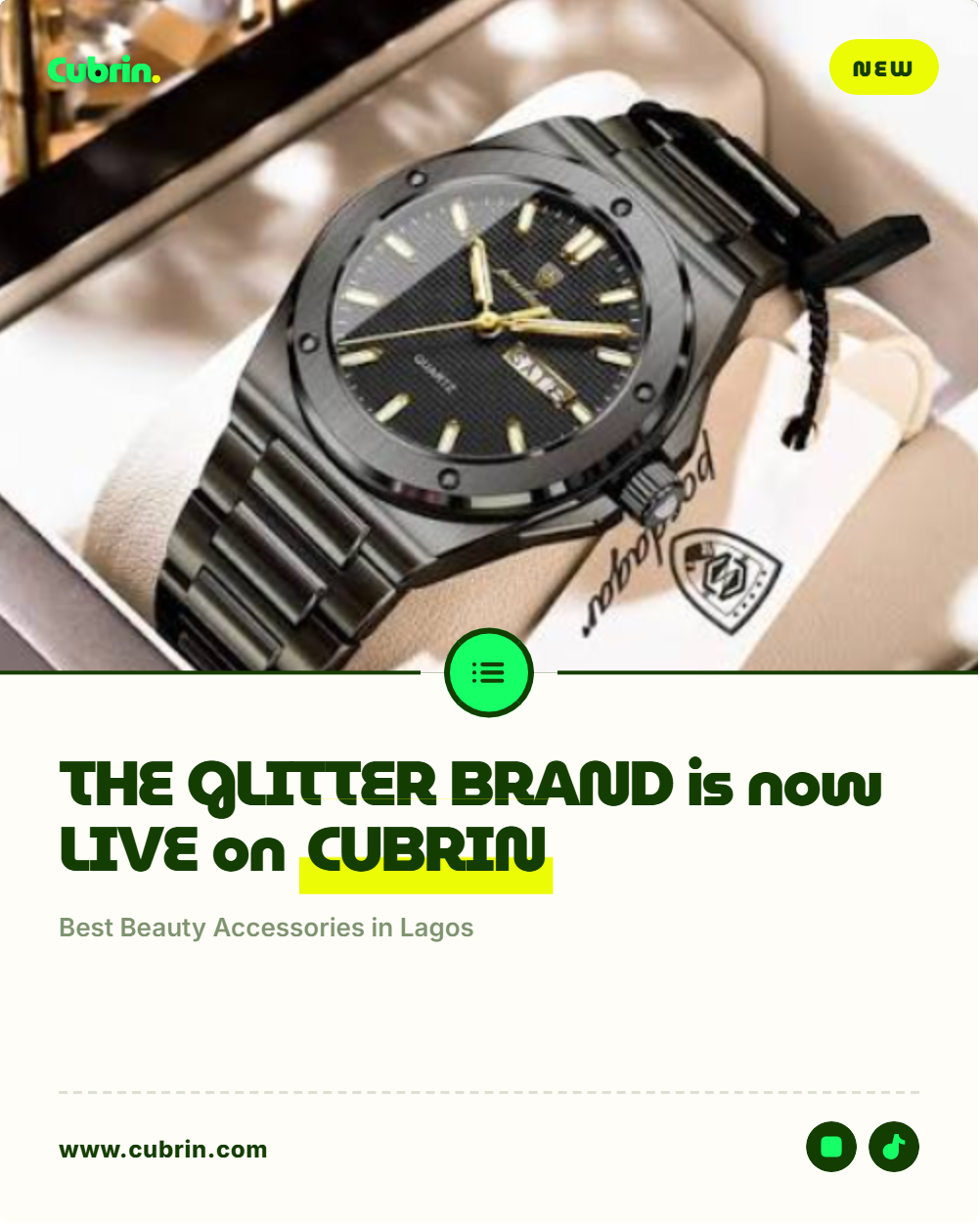
2. Live preview as you type
Type your shop name and the headline updates instantly. The font auto-shrinks for long names. The last word auto-highlights in neon yellow. Everything you see is what you get.
3. Drag-to-crop your photo
Upload any image of what you sell — your jollof rice, your best sneaker, your skincare set. Then drag it inside the frame to reposition and use the zoom slider to get the perfect crop. No more stretched images. No more awkward cutoffs.
4. Custom chat bubbles (for the Chat template)
Write your own 3-message story. Use the special {shop} token and your shop name auto-inserts into the highlighted spot. Perfect for telling a mini narrative that feels natural, not salesy.
5. Download as 1080×1350 PNG
One click, and you get a high-resolution PNG sized perfectly for Instagram Feed, TikTok, and WhatsApp Status. No watermarks. No fees. Yours forever.
Generate Your Free Banner Now →
How to Use It (Step by Step)
- Open cubrin.com/vendors/banner.html on any phone, tablet, or laptop
- Pick a template from the 4 options at the top of the form
- Type your shop name (this becomes the headline)
- Optional: add an overlay badge like "NOW OPEN" or "20% OFF"
- Upload a photo of what you sell
- Drag to crop — reposition the image inside the frame
- Choose a background color (Classic template only)
- Click Download Banner (PNG)
That's it. The whole process takes under a minute.
Let AI Write Your Banner For You
Not sure what to write? You don't have to figure it out yourself. AI tools like ChatGPT, Claude, Perplexity, or Google Gemini can write the entire banner copy for you — headlines, chat messages, badges, everything.
You just tell the AI what your shop sells and how you want to sound. It writes the rest. You paste it straight into the banner generator.
How to do it in 3 steps
- Open ChatGPT, Claude, Perplexity, or Gemini — whichever AI you already use
- Copy one of the prompts below and paste it in, replacing the bracketed parts with your shop details
- Paste the AI's response into the corresponding field in the banner generator
Prompt 1 — Write the headline
Use this prompt to get a shop headline for the Classic, Neon, or Split template:
Write me 5 short, punchy banner headlines for my shop [SHOP NAME]. We sell [PRODUCTS] in [CITY]. The headlines should be under 60 characters, feel like a Nigerian brand, and include the word "CUBRIN" in the last headline. No emojis, no quotes, just the headlines, one per line.
Prompt 2 — Write the overlay badge
Use this to generate a badge for the small pill overlay:
Give me 5 short badge texts (max 30 characters) I can put on a Cubrin promo banner for my shop that sells [PRODUCTS]. Examples: "THE BEST JOLLOF IN NIGERIA", "NOW OPEN", "20% OFF TODAY". Nigerian tone, punchy, no quotes.
Prompt 3 — Write the 3-message chat story
Use this for the Chat template — the AI writes the two friends' conversation:
Write a 3-message chat conversation for a Cubrin banner about my shop [SHOP NAME] that sells [PRODUCTS] in [CITY]. Message 1 is a casual question from a friend. Message 2 is a hype reply. Message 3 is a soft call to action to shop on Cubrin. Keep each message under 60 characters. Natural Nigerian tone. Use the token {shop} in message 1 wherever you'd say my shop's name. Emojis are welcome — keep it to 1–2 per message.
Example — what you get back
Ask ChatGPT Prompt 3 for a jollof rice vendor in Lagos, and it might reply:
- Message 1: "Have you tried {shop}? 🤤"
- Message 2: "Yesss 🔥🔥 the jollof is unmatched"
- Message 3: "Now live on Cubrin. Order in seconds →"
Paste those three lines into the Chat template's message fields. Done.
Or ask the AI to design the whole thing
You can even tell the AI which template you want and let it write the entire banner in one go:
I'm a Cubrin vendor. My shop is [SHOP NAME], I sell [PRODUCTS] in [CITY], and I want to use the [CLASSIC / NEON / CHAT / SPLIT] banner template on cubrin.com/vendors/banner.html. Give me everything I need to fill it in: a headline, an overlay badge, and (if I picked Chat) the 3 chat messages. Format them so I can copy-paste each one directly into its field.
Copy what it gives you, paste into the generator, download. Zero copywriting required.
Wait — can an AI agent do the whole thing for me?
Almost. Our banner generator is designed to be AI-agent friendly. That means tools like ChatGPT with browsing, Claude with computer use, and Perplexity can open the page, read the form fields, and help you fill them in — just by you asking in plain English.
For example, you can say to an AI agent:
Open cubrin.com/vendors/banner.html, fill in my shop name as [SHOP NAME], use the Chat template, write me a 3-message chat story for a shop that sells [PRODUCTS] in [CITY], and prepare the page for me to upload my photo and download.
The AI will handle the copy. You handle the final upload and download — since only you have your photo and can save the file to your phone.
This is why we list every form field with clear labels and accessible names. Every AI tool that respects semantic HTML can work with our forms.
5 Ways to Use Your New Banner
1. Instagram Feed post
Post it as a single image — 1080×1350 fills the vertical space better than a square. Add a caption with your location and a CTA to order.
2. Instagram Story or WhatsApp Status
The 4:5 ratio slides perfectly into Stories and Status. Post every morning to remind locals you're open.
3. TikTok carousel
TikTok now supports photo carousels. Upload your banner + a few product shots, and you've got a scannable mini-magazine about your shop.
4. WhatsApp Business catalog cover
Set it as the cover of your WhatsApp Business catalog — instant brand consistency.
5. As a share image for orders
Every time a customer orders, send them the banner as confirmation. It looks polished, and it keeps your brand top of mind.
Getting Featured on Cubrin (Bonus Tip)
Here's something else worth knowing: every week, Cubrin randomly picks one shop to feature on our blog and TikTok as a magazine-style spotlight.
To be eligible:
- Submit a feature request to feature@cubrin.com
- Your product listing must be 100% complete — photos, prices, descriptions, working hours
- Keep your shop active and open for orders
If selected, we publish a full blog post about your shop and a TikTok carousel — both linking to each other, both showcasing your banner.
So the free banner isn't just a marketing asset. It's also what we use to introduce you when you're featured.
Frequently Asked Questions
Is the banner generator really free?
Yes — completely free. No account required, no credit card, no watermark. Generate as many banners as you want.
Can I use my own photo?
Absolutely. Upload any photo of your food, products, or shop. JPG, PNG, and WebP files up to 5 MB work best.
Will the banner have Cubrin branding on it?
Yes, and that's intentional. Every banner shows the Cubrin logo, a small @cubrinapp handle, and the URL www.cubrin.com — so customers know exactly where to find you. This is why we can offer it free.
Can AI really write my banner copy for me?
Yes. Use any AI tool — ChatGPT, Claude, Gemini, Perplexity. Copy one of the prompts above, replace the bracketed text with your shop details, and paste what it gives you into the banner generator. Zero writing required.
Can an AI agent fill the whole form?
Partially, yes. AI agents can open the page, read the fields, and write copy into them. But the final photo upload and download button click must come from you — since only you have your photo and can save the file to your device.
What size is the download?
The exported PNG is 1080×1350 pixels — the ideal size for Instagram Feed, TikTok carousels, and WhatsApp Status.
Can I edit it after downloading?
Yes — the file is yours. Open it in Canva, Photoshop, or any image editor to add your own touches.
Do I need a Cubrin account to use it?
No. Just open the page, create your banner, and download it. Sign up as a vendor whenever you're ready to start selling.
Can I generate more than one banner?
Yes — as many as you like. Try different templates, test different photos, and use a fresh banner every week.
Ready to Try It?
Your shop deserves marketing that looks as good as your products. Get your free banner now — it takes less than a minute. Or hand the copywriting to an AI and let it handle the words while you handle the photo.
And if you haven't onboarded as a vendor yet? Sell on Cubrin — free to join, no POS hardware needed, only a 2% fee on sales.