Share Cart on Cubrin — Send Products to Friends in One Tap
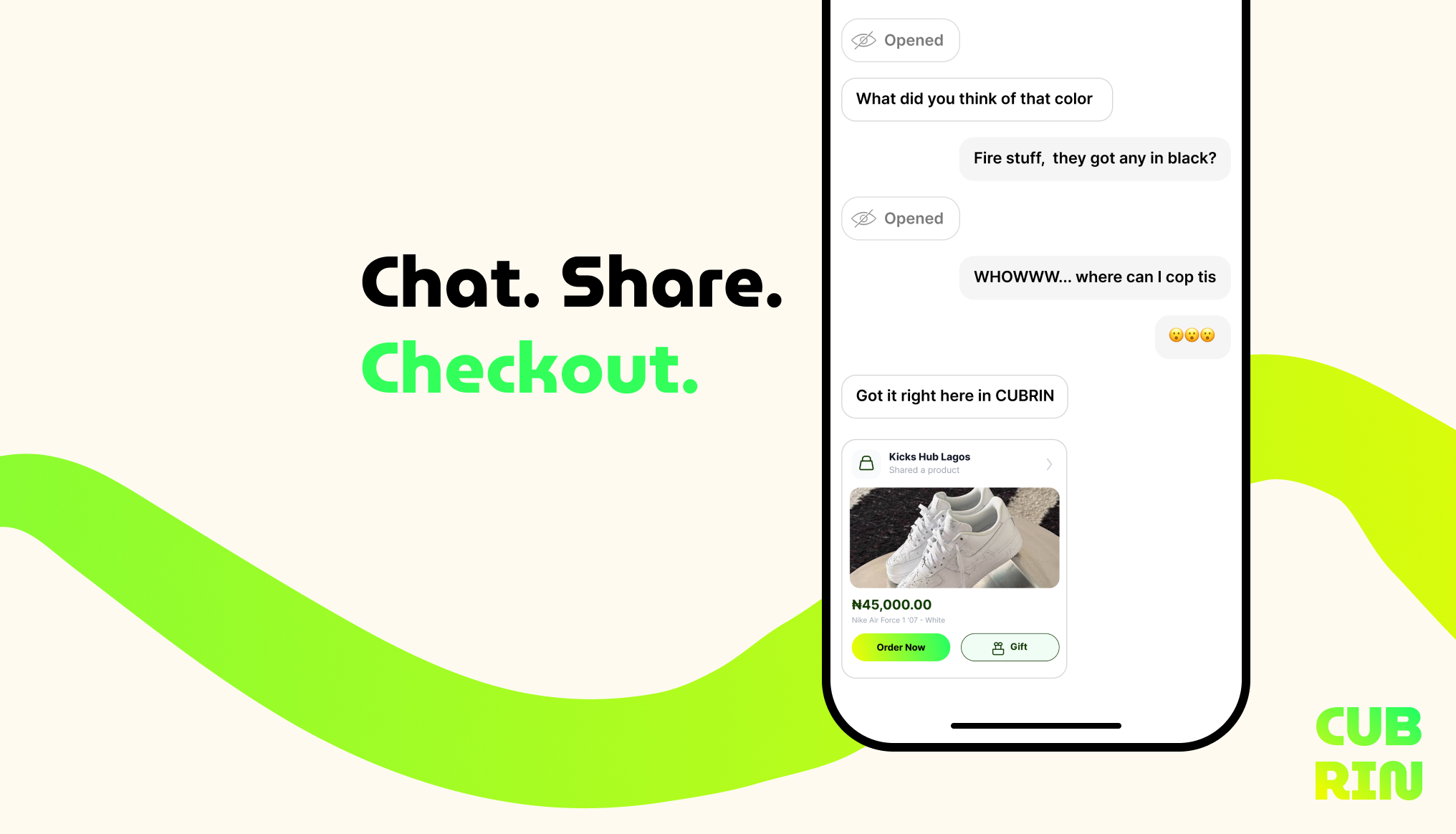
Shopping has always been social. You see a nice pair of sneakers, a bold lipstick shade, or a plate of jollof that looks unmatched — and the first thing you do is send it to a friend. You want their opinion. You want to twin the fit. Or you just want to be nice and cop it for them.
The problem? Most apps make this awkward. You screenshot, you paste a link, you describe it in the chat, they say "which one?" — and the whole moment dies.
Not anymore.
Starting today, Cubrin lets you share any item with any friend, straight from your cart, in one tap. They see it exactly as you see it. They can order it themselves. Or you can buy it for them as a surprise gift.
We call it Share Cart. And it changes the way you shop with your people.
What Is Share Cart on Cubrin?
Share Cart lets you send any item from any vendor on Cubrin to a friend — through the app's built-in chat.
It's not a screenshot. It's not a copied link. It's a live, in-app product card that shows:
- The full product photo
- The item name and vendor
- The current price
- A direct Order Now button
- A Gift button if you're sending it as a surprise
Your friend sees it exactly the way you do. No "which one?" No back-and-forth. Just one tap from idea to checkout.
How to Share an Item With a Friend on Cubrin
Three steps. Ten seconds. Here's exactly how it works.
Step 1 — Find the item you want to share
Open Cubrin, search for the product, and tap on it. This could be anything — food, a sneaker, a beauty product, a gadget, a bag. If it's on Cubrin, it's shareable.
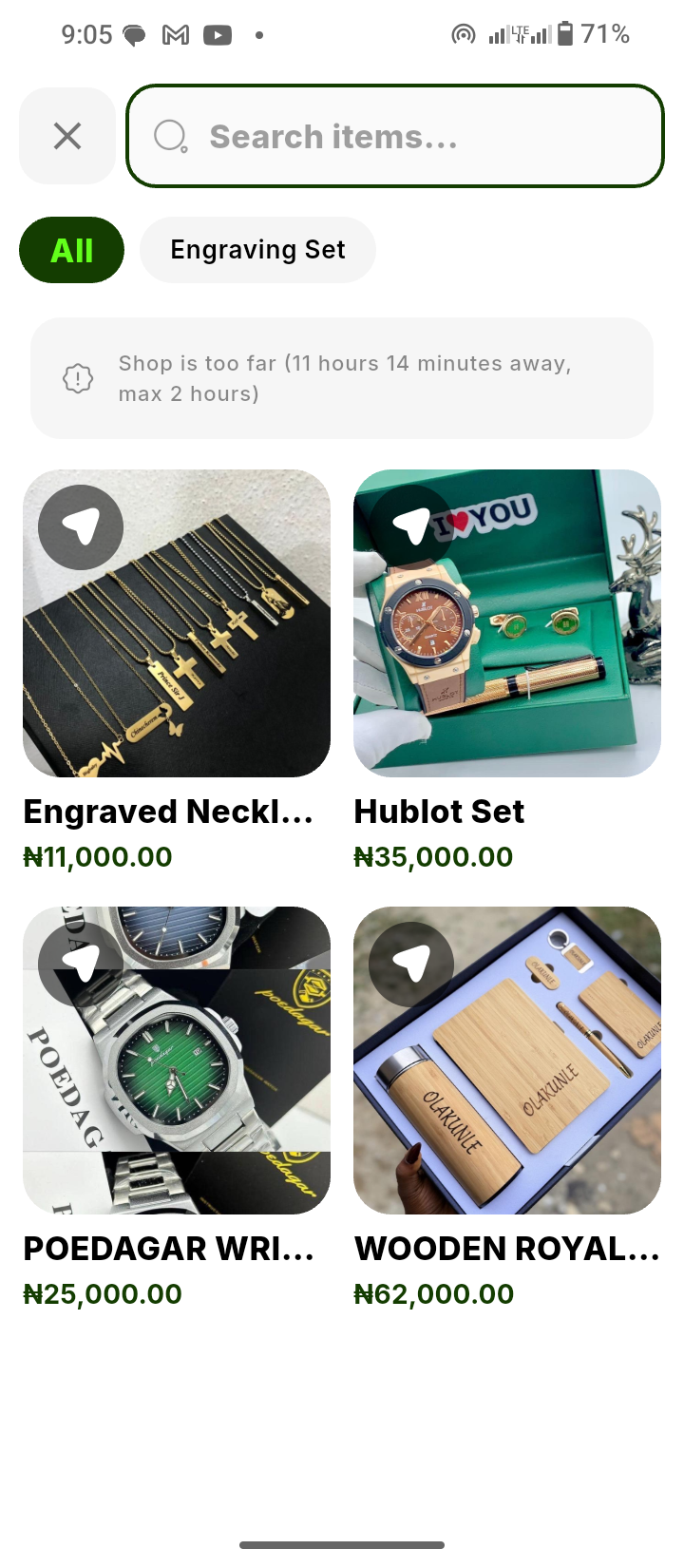
Step 2 — Tap Share and choose who to send it to
Hit the Share button. Your Cubrin chat opens. Pick any friend from your connections — or search for their @username if you haven't added them yet.
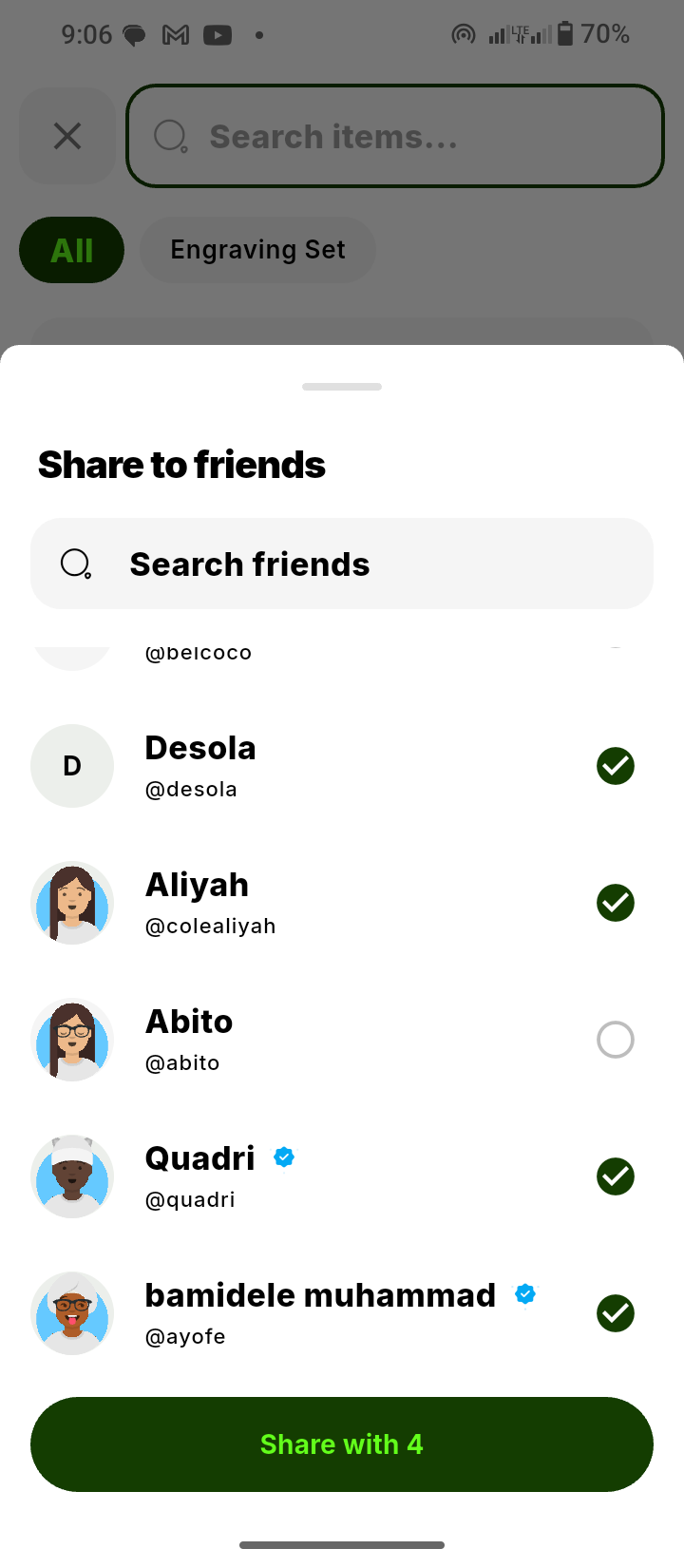
Step 3 — They see it instantly in their chat
Your friend gets a message with a live product card. They can tap Order Now to buy it for themselves — or Gift it back to you, or to someone else.

That's it. No screenshots. No links. No "which one did you mean?" Just a clean, shoppable moment.
Try Share Cart in the Cubrin app →
Why We Built Share Cart
We noticed a pattern. Nigerians already shop through WhatsApp, Instagram DMs, and Twitter — sending screenshots, asking friends what to buy, pitching fits to each other. It's how we've always shopped. It's how we've always decided.
But every app made this awkward. Products live in one place. Conversations live in another. And screenshots can't be bought.
Share Cart bridges the gap. It turns chat into commerce — and commerce back into chat.
It's also built on top of our existing chat system — with voice notes, view-once photos, streaks, and instant replies — so the conversation feels as natural as any other you're already having.
4 Ways to Use Share Cart
1. Copping for yourself — but asking first
Not sure if the sneaker fits your vibe? Share it with the friend who always keeps it real. They'll give you the verdict in seconds — and if they say yes, you can order right from the same thread.
2. Twinning the fit
Found a dress you both need? Share it, they order theirs, you order yours. Same vendor. Same drop. Same vibes.
3. Dropping a surprise gift
This is where Share Cart really shines. Tap Gift on the shared card, pay for it, and the item is delivered to your friend — sometimes they don't even know until the rider knocks.
Birthdays, anniversaries, apologies, or just-because.
4. Feeding the group chat
Ordering jollof for five? Share the plate you're craving. Everyone taps in. Everyone orders their own. The whole squad eats without one person fronting the bill.
Share Cart vs Split Bill — What's the Difference?
They're cousins, but they do different things:
- Share Cart — you send an item, they see it, they order their own (or you gift it to them).
- Split Bill — you order one thing, everyone chips in to pay for it together.
Use Share Cart when everyone wants their own thing.
Use Split Bill when it's one bill, many pockets.
And yes — you can use both in the same order.
Works With Every Vendor on Cubrin
Share Cart works across the entire Cubrin marketplace. That includes:
- 🍔 Food & Groceries — buka, grills, snacks, fast food, provisions
- 💄 Beauty & Personal Care — skincare, makeup, hair, grooming
- 📱 Devices & Accessories — phones, chargers, earphones, tech essentials
- 👗 Fashion & Home — clothing, sneakers, bags, lifestyle goods
If it's on Cubrin, it's shareable.
Frequently Asked Questions
Do my friends need to have Cubrin to receive a shared item?
Yes. Share Cart works between Cubrin users. If they don't have the app yet, share cubrin.com/download with them first — it takes 30 seconds to sign up.
How do I find a friend to share to?
Either pick from your existing Cubrin connections, or search by their @username. Not added them yet? You can also send them your username so they can find you.
Can I share multiple items at once?
Yes — you can share an entire cart, not just one item. Perfect for group orders or gift lists.
Can I share to a group chat?
Group sharing is coming soon. For now, share with individual friends — or send the same item to multiple people one at a time.
Can I gift an item to someone without them paying me back?
Absolutely. Tap Gift on the shared card, pay for it, and it's sent to them as a surprise. No payback expected.
What if my friend doesn't want the item?
No pressure. The card just sits in the chat. They can ignore it, reply with a thumbs up, or order whenever they're ready.
Is Share Cart free?
Yes — Share Cart itself is free. You only pay for items you actually buy.
Does the recipient see my cart or my payment details?
No. They only see the specific item you shared — never your cart, your wallet, or your payment info.
Ready to Shop Together?
Shopping alone is fine. Shopping with your people is better. Share Cart is now live on Cubrin for every user, every vendor, and every item.
Open the app, find something you love, and send it to someone who matters.
Already have the app? Just open it and start sharing.